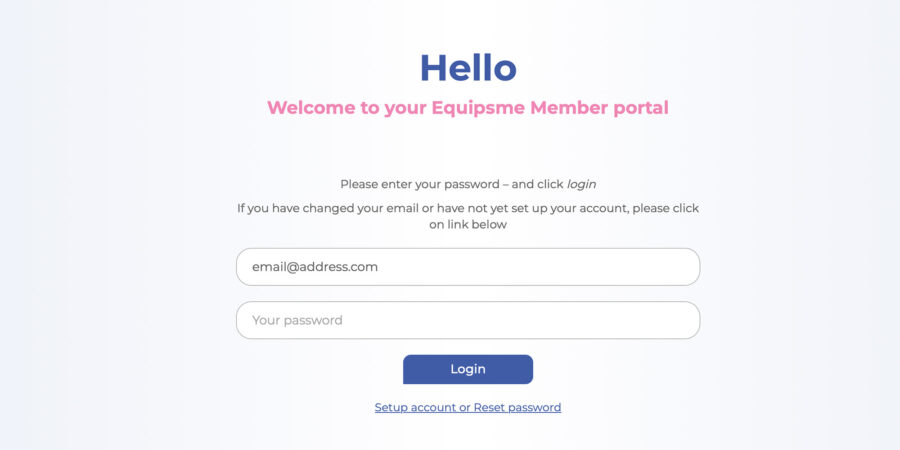
Equipsme plans are designed to offer practical, everyday health and wellbeing support. But your benefits can only start working when you log in to use your Equipsme services.
Here’s what to do if you’ve forgotten your password, or want to change it.
How to reset or change your password
You can access your Equipsme benefits online through your personal portal, or through the Equipsme App from your mobile phone or tablet.
Put in your username. You’ll find this in the Welcome email we sent you when your company first brought your plan. Just search for ‘Equipsme’.
When you type in your username (which is usually your email address), just make sure your caps lock is off, and type in all lower case letters.
Click on ‘forgotten password’ under the password box.
You’ll get an email to your username email address prompting you to reset pr change it.
If you don’t get an email, or you’re still having trouble getting into your portal or App, email our Customer Service at [email protected] or call 020 3965 6410.
Trouble-shooting
If you’re having trouble resetting or changing your password, please don’t worry. Your information is safe and we can always help you re-set everything. Here’s some things to try before you give us a call:
Check your Caps Lock is off.
Triple check your username is typed in all lowercase. (You can press the eye at the side to see what you’re typing).
Search your Inbox for your Equipsme Welcome email to check you’ve got the correct username.
Check your junk or spam folder in case your Welcome or password reset email has got stuck in one of them.
Quick info about resetting or changing your password
Click on ‘forgotten password’
Look out for the reset email – including in spam and junk folders
Follow the instructions
If you get stuck, email our Customer Service at [email protected] or call 020 3965 6410.
We use cookies to collect information that helps us help you get the most out of our website. It means we learn and remember what information is relevant to you.Find out more about our Cookie Policy here.By continuing to use equipsme.com, you’re agreeing to our use of cookies.You can also choose which cookies you want and manage your cookies at any time here.
Choose which cookies to accept
Accept all cookies
We use three types of cookies and you can choose which to accept.